
Safety & privacy
Screen Genius looks after screen time on your child's phone — so it has to be careful with your family's data. Here is exactly what it does, what it collects and why.
No ads, ever
Not in the child app, not in the parent app, not on the dashboard.
We never sell data
Your family's data is used only to run Screen Genius for you.
Only what's needed
We collect only what a feature needs in order to work.
You're in control
Remove a child and their data is deleted. Ask us, and we delete the whole family.
What we collect, and why
- Parent account
- Name and email from Google sign-in — to sign you in and send you notifications.
- Child profile
- A name or nickname, age and grade, as you enter them — to match questions to your child's level.
- App usage time
- How long each app was used — to enforce limits and show reports. We don't see what happens inside apps.
- Learning results
- Answers, accuracy and coins — for insights, the level of the next questions and the weekly report.
- Safety alerts
- Only when Agent Shield finds a word from your list: the word, a short snippet around it and the app name.
- Payments
- Handled by Paddle. We never see or store card details.
Every permission on the child's phone, explained
Android asks for each of these during setup, and the app explains each one on the way.
- Usage access
Measures how long each app is used, to enforce the daily and per-app limits.
- Display over other apps
Shows the lock screen over an app when time is up or at bedtime.
- Notifications
A small ongoing notification keeps the timer running, and tells your child when you approve a request.
- Run at startup
Turns protection back on after the phone restarts.
- Device admin
Stops the app from being uninstalled without the parent PIN.
- Accessibility (lock + Agent Shield)
Keeps the lock screen above the notification shade and buttons while the phone is locked. With Agent Shield on, it also checks on-screen text on the phone for words on your safety list; the text isn't stored.
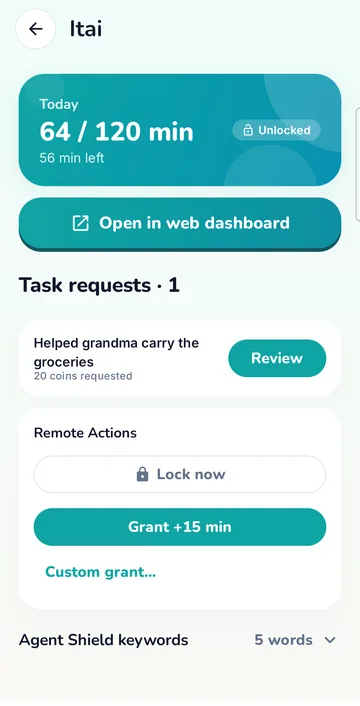
How Agent Shield works
- It runs on your child's phone and checks on-screen text against a list of words you control — bullying, self-harm, and any words you add.
- Nothing is sent unless a word matches. Then you get an alert with the word, a short snippet around it and the app it appeared in.
- It starts with a built-in list of words, and you can turn it off at any time in the dashboard. Your child sees what it does before the permission is given.
Hard to get around
- The parent PIN is checked on our server, so it can't be found or changed on the phone.
- The lock screen covers the status bar and the navigation buttons.
- Changing the clock, restarting the phone or turning off a permission sends you an alert.
- Rules are stored on the phone and keep working without internet.
How long we keep things
Old history is deleted automatically every night:
- Notifications and remote commands
- 7 days
- Quiz sessions, requests, alerts and other history
- 30 days
- Daily screen-time and learning totals
- 90 days
- Weekly reports
- 1 year
Where your data lives
Your data is stored in Google Firebase (Google Cloud). Quiz questions are written by Google Gemini, which receives age, grade, subject and language — never your child's name; to grade a written answer it sees the question and the answer. The weekly report is written from totals with names replaced by placeholders. This website uses Cloudflare Web Analytics, which counts visits without cookies.
See or delete your data
Removing a child in the dashboard deletes all of that child's data right away. You can delete your whole account — family, children and history — yourself in the app or the dashboard. For a copy of your family's data, write to support@screen-genius.com.